DeltaTwin® Namespace
In DeltaTwin®, a Namespace allows a group of users to work together in an isolated collaborative environment.
Typically, an organisation creates a namespace so that all its members can share their data and quota to work efficiently.
In DeltaTwin®, the namespace concept is closely linked to the DESP Tenancy service.
DESP Tenancy service overview
The DestinE Tenancy service allows a group of users to create a Tenancy group. This creates isolated environments for collaborative work.
Within a Tenancy, the administrator can:
- Create Projects
- Associate a subset of Tenancy members to each project
- Attach upgraded service resources to each project
By default, each DestinE user is granted access to a Free project with default service resources.
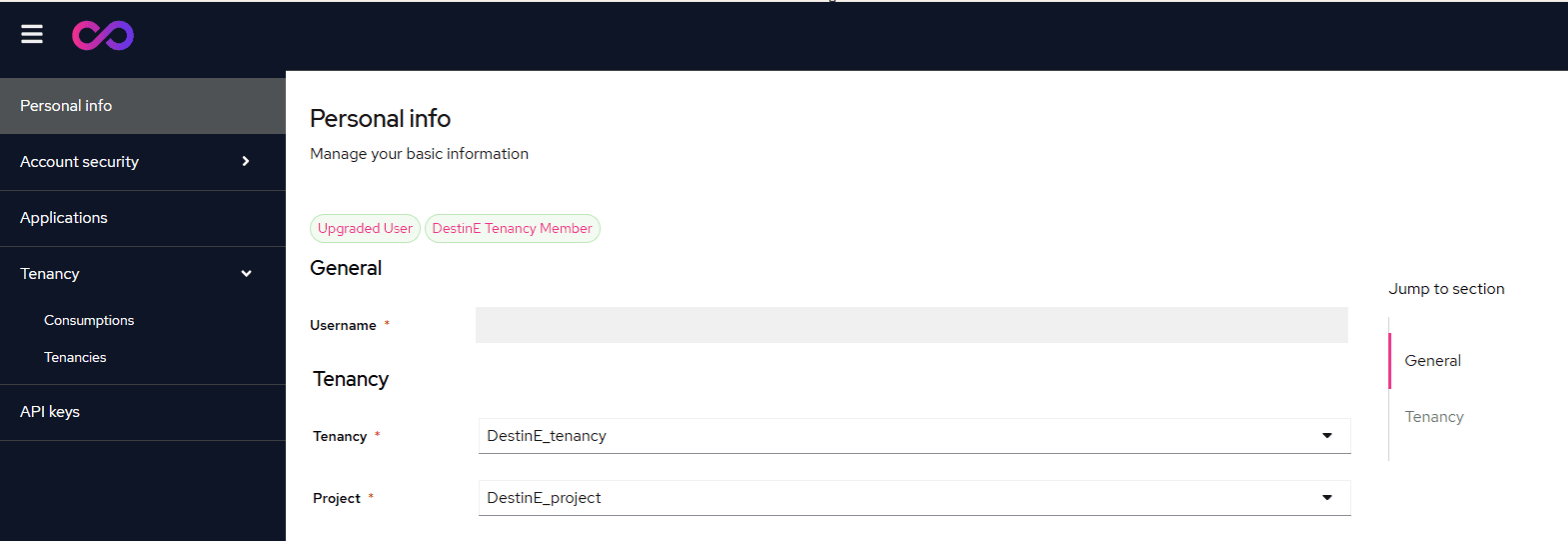
Each DestinE user can request the creation of a Tenancy project and configure it with upgraded service resources. The Tenancy project can be changed from the DestinE account page:
- Go to: DestinE User Account
- In the Tenancy section of your personal info, select your active Tenancy and Project
- By default, the Free DestinE project is selected
DeltaTwin® resources
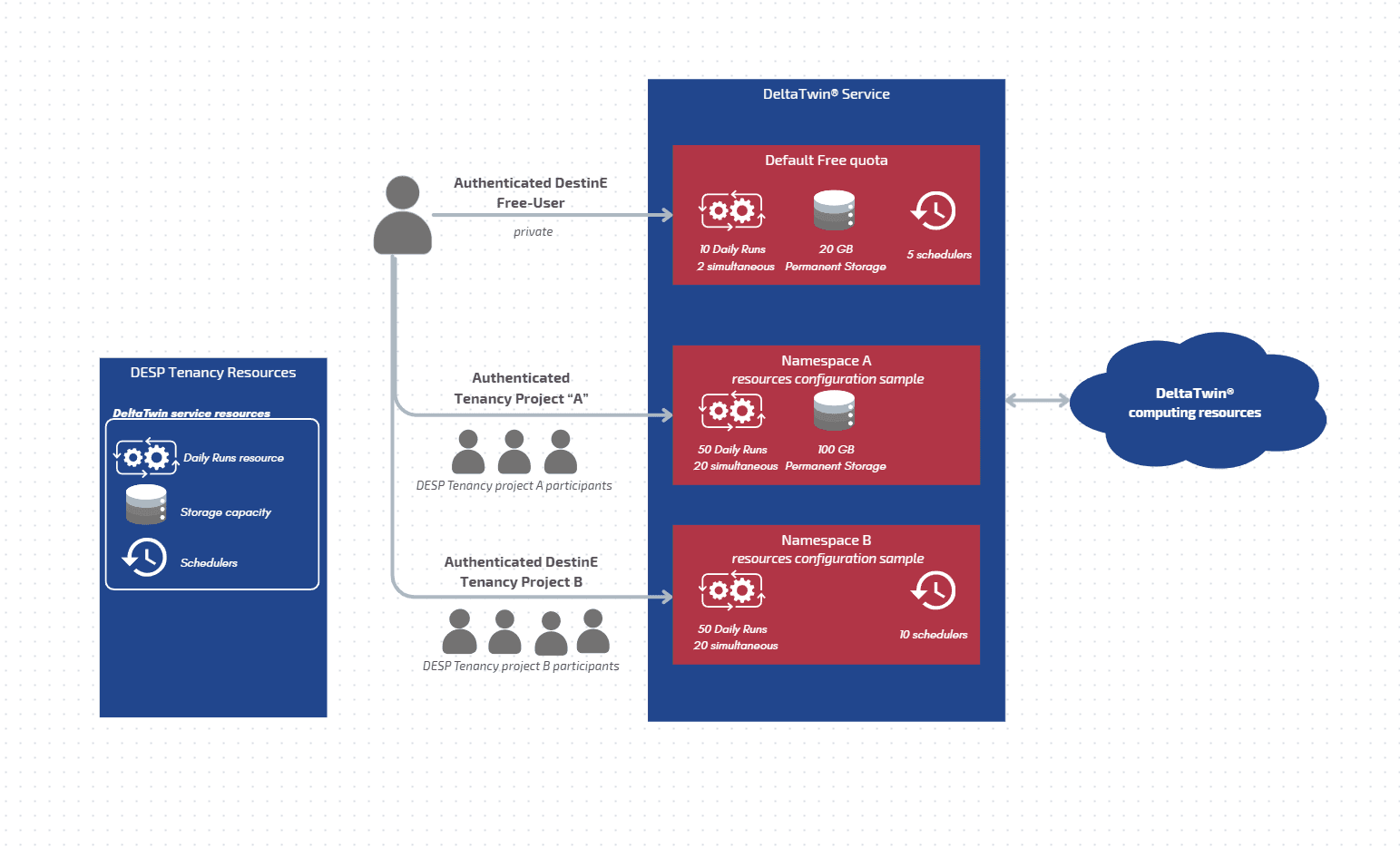
Each DeltaTwin® namespace is governed by a resource quota that can include a number of runs, a storage capacity, and a number of schedulers — all shared among the namespace members.
Resources in the Free Project
The Free Project is a default namespace automatically provisioned by the platform for each user. It comes with a predefined, fixed resource quota and is strictly private — no additional members can be added and resources cannot be expanded.
It includes the following default resources:
- 10 daily runs | 2 concurrent runs
- 20 GB of data storage
- 5 schedulers
Resources in a Tenancy Project
When a new Tenancy project is created, DeltaTwin does not assign any default resources.
The Tenancy Project admin must request one or more of the following resources, which are shared across all members of the tenancy project:
- 50 daily runs | 20 concurrent runs
- On-demand storage capacity — defined at request time and validated by the service provider
- On-demand number of schedulers — number defined at request time
Collaboration within a Namespace
One of the main advantages of the namespace concept is that a group of users can collaborate and work together in a shared, isolated environment.
A user can belong to several namespaces simultaneously. For example, a user can have one namespace for working with organisation A and another for working with organisation B.
Within a namespace, all members can:
- View or delete the run activities generated within the namespace
- View, update or delete the DeltaTwin components, artifacts and resources added to the shared storage
- View, update or delete the schedulers created within the namespace
Data stored inside the namespace storage is fully isolated from other namespaces.
Namespace naming
When a user logs in to the DeltaTwin® service, they are automatically attached to a namespace. The namespace name is generated automatically at first login and cannot be edited.
The namespace name depends on the project type:
- Free plan: a randomly generated two-word identifier (e.g. solid-supercluster)
- Tenancy project: the name of the Tenancy project
Component uniqueness per namespace
Because all Tenancy resources are fully isolated, a DeltaTwin component can share the same name as one in a different namespace.
For example, the namespace A can contain a DeltaTwin component named image-rotation,
and the namespace B can also have a component with the same name in their own namespace — with no conflict.
DeltaTwin® namespace
The DeltaTwin® service has its own namespace called “deltatwin”. It contains the built-in DeltaTwin® components provided by the service, which can be used freely by the community. These components are accessible through the Starter Kit.